Which reports break if you rename this column?
You grep through hundreds of files, hoping you caught everything.
 Gudu SQL Omni
Column-level lineage and impact analysis across dialects. No data leaves your machine.
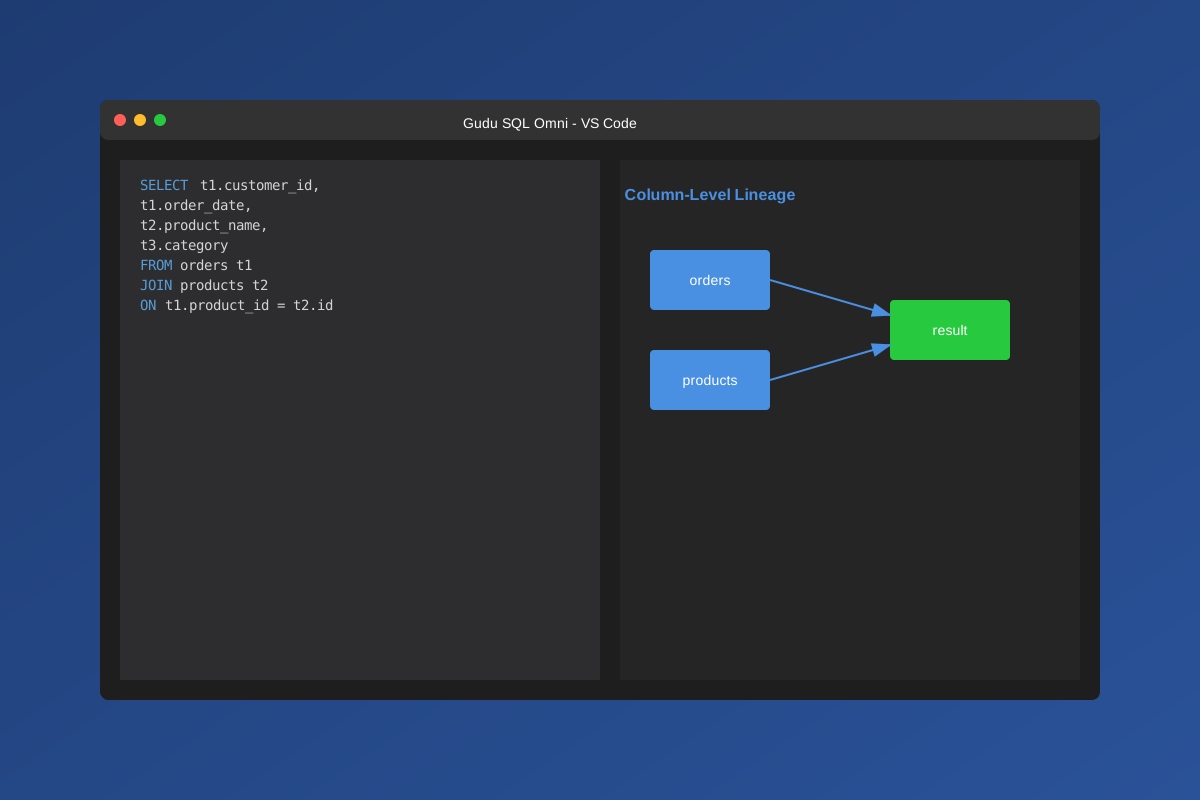
You grep through hundreds of files, hoping you caught everything.
You trace through five layers of CTEs and views by hand, losing an hour each time.
You push and pray, because mapping every dependency manually is not realistic on a deadline.
They want your SQL uploaded to their servers and live in a separate browser tab far from where you work.
You need lineage analysis that is fast, private, and embedded in your workflow.
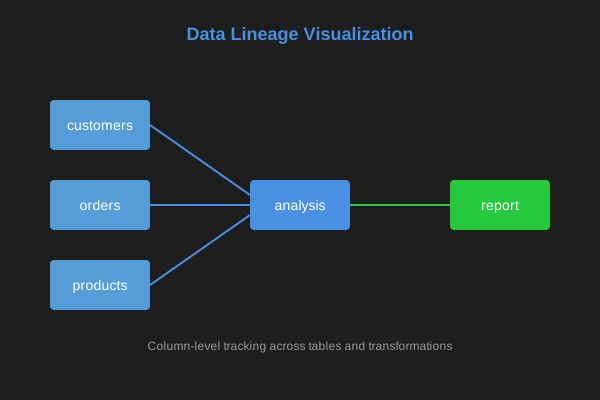
Track data flow across tables and transformations
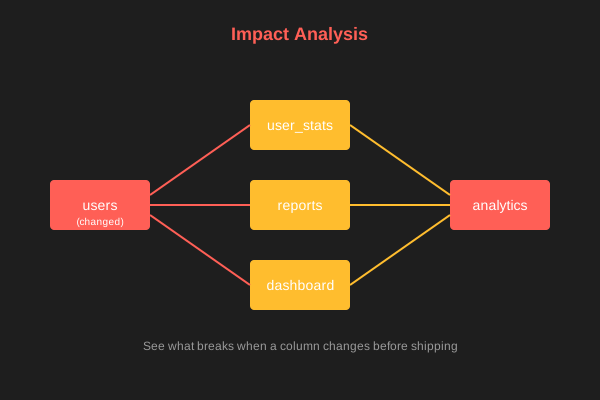
See what breaks before you ship changes
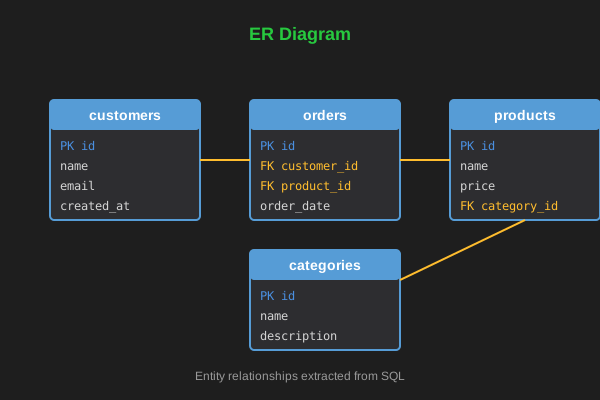
Visualize entity relationships from SQL
Analyze SQL locally. Your SQL never leaves your machine.
Trace fields across complex SQL with CTEs and window functions.
See what breaks when a table/column changes before shipping.
From single-file analysis to project-wide scanning — everything runs locally in VS Code.
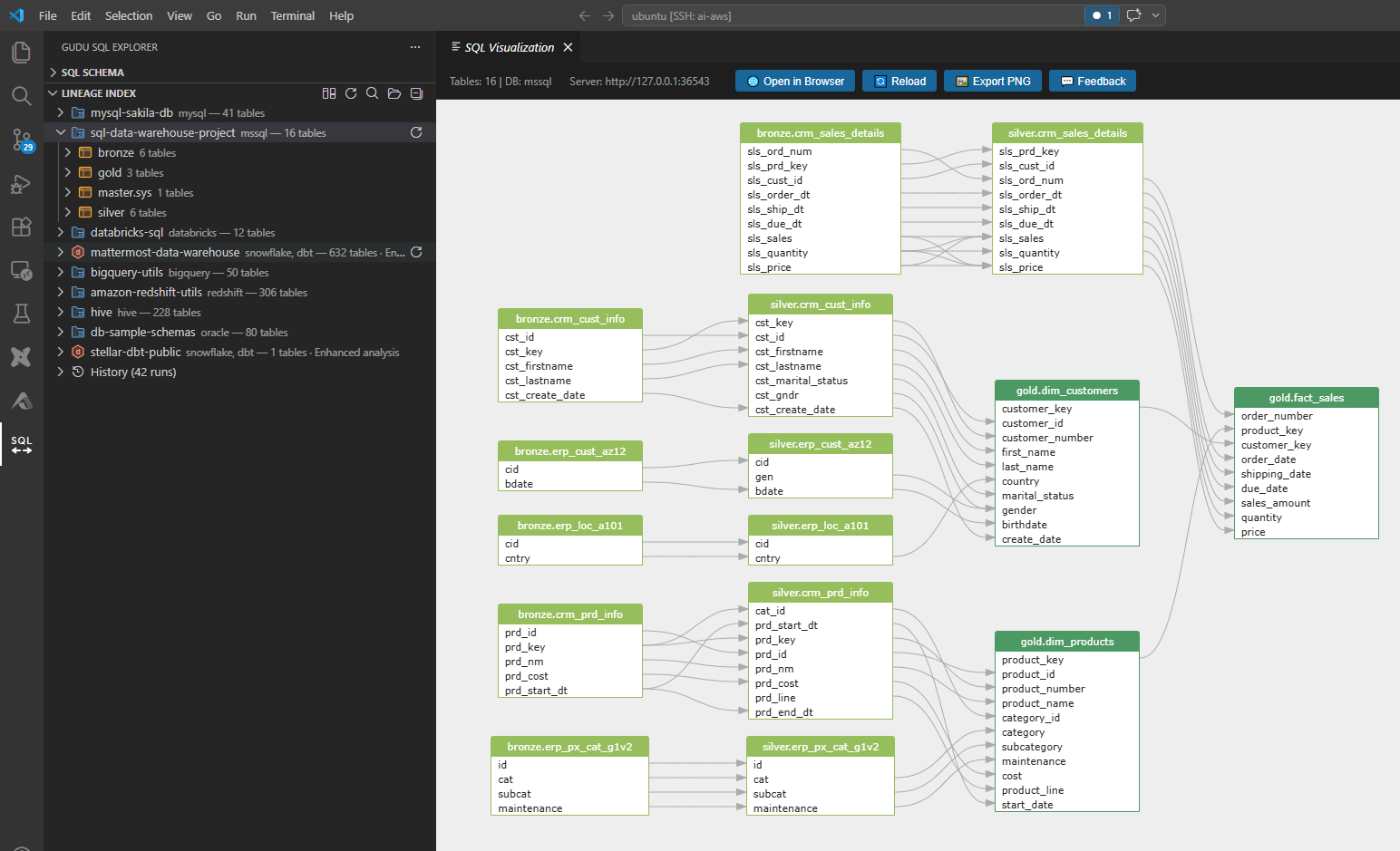
Trace the full path of every column through joins, subqueries, CTEs, unions, and window functions. See exactly which source columns feed into each output column — rendered as an interactive graph you can zoom, pan, and export.
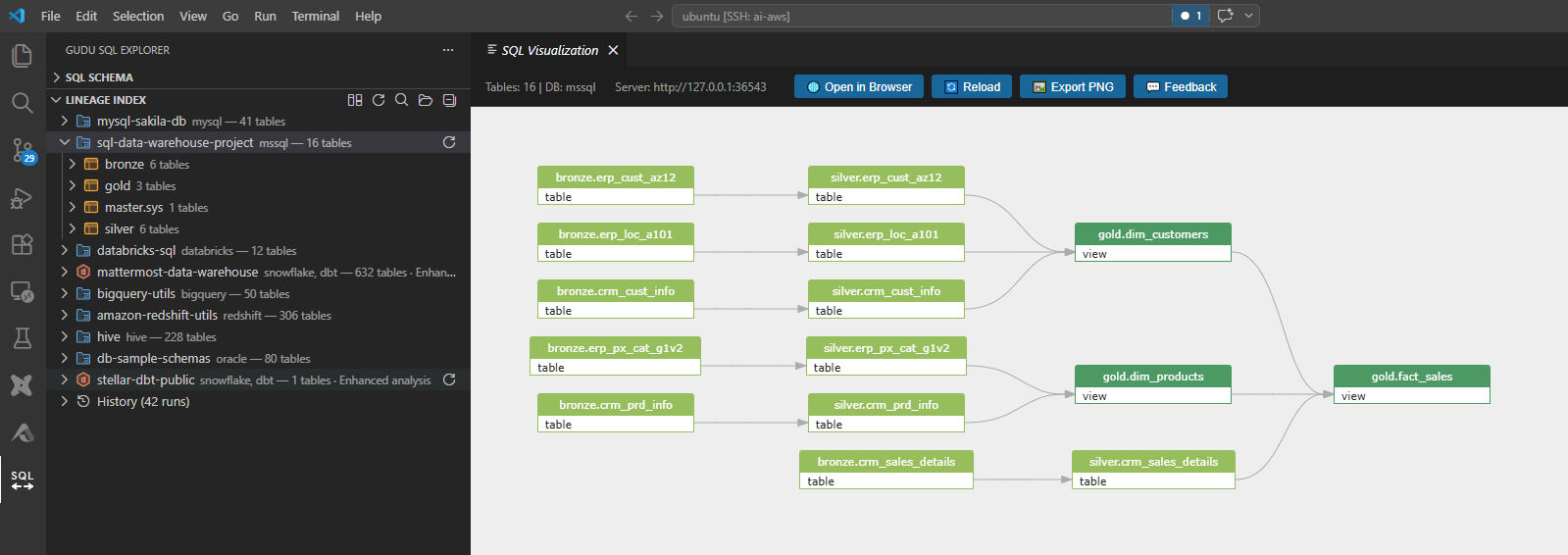
Get a high-level view of how tables relate and depend on each other across your SQL codebase. Understand the flow of data between tables at a glance before diving into column details.
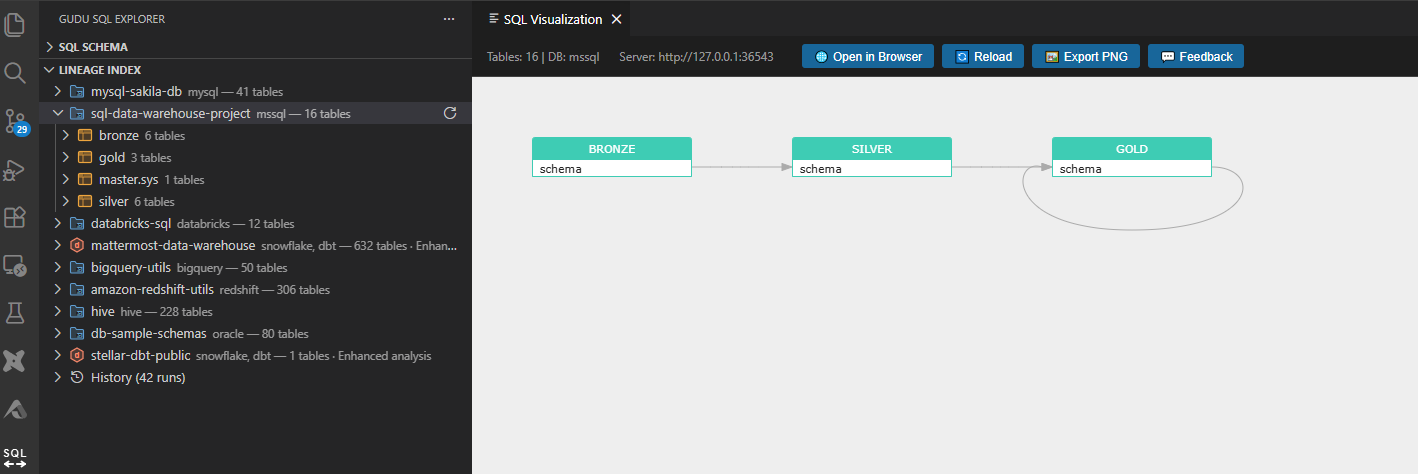
Visualize dependencies across entire schemas and databases. Understand how data flows between schema boundaries — critical for cross-team data contracts and migration planning.
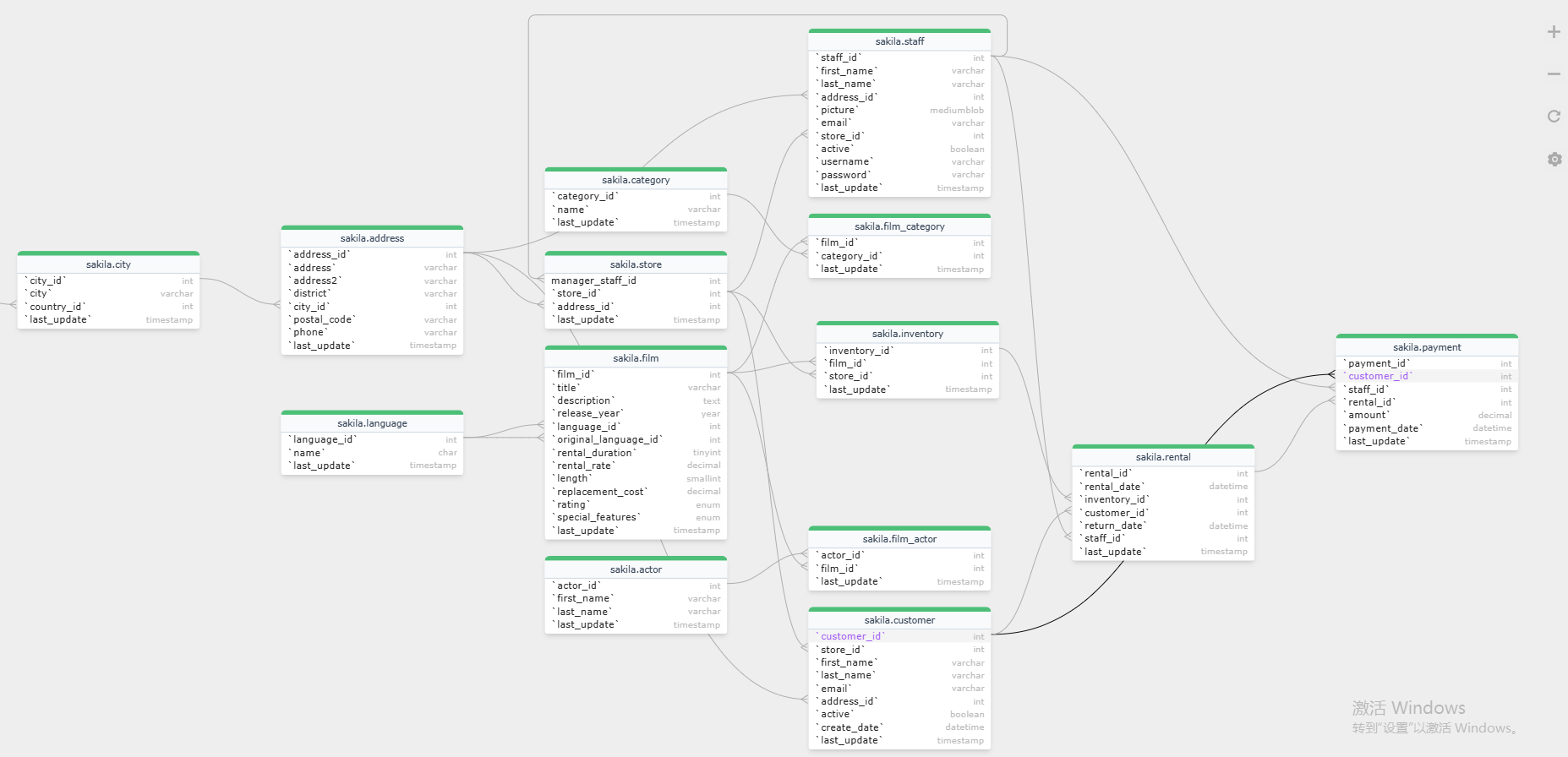
Generate entity-relationship diagrams directly from your CREATE TABLE statements. See tables, columns, data types, and foreign key relationships without switching to a separate modeling tool.
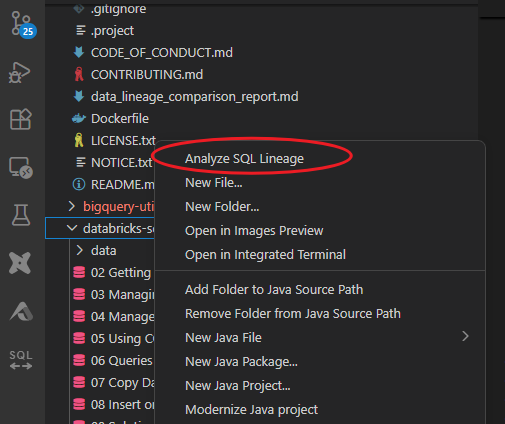
Point Gudu SQL Omni at a directory and it analyzes every SQL file, building a unified lineage graph across your entire project. Native dbt support means your models, sources, and refs are resolved automatically.




















Support for 30+ SQL dialects including CTE, window functions, and cross-dialect parsing
The Challenge: Your team needs to understand a 40-line SQL query calculating 90-day customer lifetime value with currency conversions. How long would it take to trace every column, join, and transformation manually?
WITH completed_orders AS (
  SELECT o.order_id, o.customer_id,
         o.order_date, o.amount, o.currency
  FROM raw.orders o
  WHERE o.status = 'COMPLETED'
),
fx AS (
  SELECT f.currency_code, f.rate_to_usd, f.valid_on
  FROM dim.exchange_rates f
),
orders_usd AS (
  SELECT
    o.customer_id,
    o.order_date,
    o.amount * COALESCE(f.rate_to_usd, 1) AS amount_usd
  FROM completed_orders o
  LEFT JOIN fx f
    ON f.currency_code = o.currency
   AND f.valid_on = DATE_TRUNC('day', o.order_date)
),
recent AS (
  SELECT customer_id, order_date, amount_usd
  FROM orders_usd
  WHERE order_date >= CURRENT_DATE - INTERVAL '90' DAY
)
SELECT
  customer_id,
  SUM(amount_usd) AS ltv_90d
FROM recent
GROUP BY customer_id;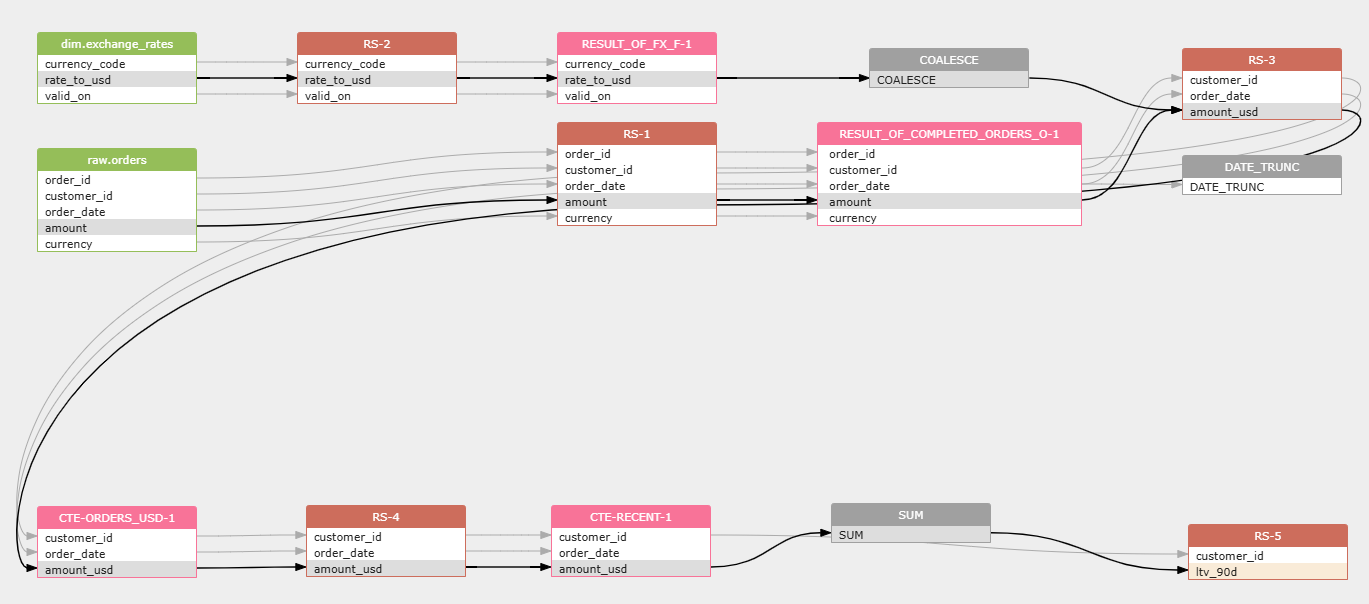
raw.orders and dim.exchange_rates feeding your KPI
amount × rate_to_usd creates normalized values
SUM(amount_usd) rolls up to ltv_90d per customer
| Gudu SQL Omni | Cloud Lineage Tools | Manual Tracing | |
|---|---|---|---|
| Where it runs | Your machine, in VS Code | Vendor cloud | Your brain |
| Data privacy | SQL never leaves your machine | SQL uploaded to vendor servers | N/A |
| Setup time | 2 minutes | Days to weeks (SSO, connectors) | None |
| Column-level lineage | Yes | Some tools, at higher tiers | Theoretically possible |
| Database dialects | 34 | Varies (typically 5–15) | Whatever you can read |
| dbt support | Yes | Some tools | Manual |
| ER diagrams | Yes | Rarely included | Draw them yourself |
| Works offline | Yes | No | Yes |
| Price | From $10/month | $200–$1,000+/seat/month | Free but slow |
"Finally, SQL lineage that works offline. No more worrying about sensitive data leaving our machines."
— Senior Data Engineer, Fortune 500"The column-level lineage is incredibly accurate. Saved us hours debugging data pipelines."
— Analytics Lead, Tech Startup"Impact analysis before deploying changes is a game-changer. We catch issues before production."
— Data Architect, HealthcareOpen VS Code, press Ctrl+Shift+X, search "Gudu SQL Omni", click Install. Done.
Open any .sql file. The extension activates automatically and starts the local analysis server.
Press Ctrl+Alt+L for data lineage, or right-click for more options. Results appear instantly.
Right-click any folder in the Explorer, select "Analyze SQL Lineage" for project-wide dependency mapping.
No accounts, no API keys, no configuration files. The extension detects your database dialect automatically.
$0forever
$10/month
Launch Week Special
$100/month
Custom
All paid plans include a 14-day money-back guarantee. No credit card required for the free trial. VAT calculated at checkout where applicable.
No. Parsing and analysis happen locally. No SQL leaves your machine.
34 database dialects, including SQL Server, Oracle, MySQL, PostgreSQL, BigQuery, Snowflake, Redshift, Hive, Spark SQL, Databricks, DB2, Teradata, and 22 others. The parser auto-detects the dialect, or you can set a default in settings.
Subscribe for $10/month (Launch Week special). Cancel anytime. Your subscription remains valid until the next billing cycle.
After subscribing, copy your license key to the extension's Activate/Upgrade command.
Yes! Cancel anytime and continue using Pro features until your billing cycle ends.
14-day no-questions-asked refund. Contact support@gudusoft.com with your order ID.
Yes! All SQL parsing happens locally. Internet only needed for license activation.
Optimized to handle SQL files up to 10MB instantly. Column-level analysis stays fast.
Contact us at support@gudusoft.com for team and enterprise pricing options.
No. The extension bundles a minimal Java runtime for your platform (Windows, macOS, Linux — both x64 and ARM64). There is nothing extra to install or configure.
Gudu SQL Omni uses the Gudusoft SQL Parser, which performs full syntax-tree parsing — not regex matching or heuristics. It correctly handles CTEs, subqueries, correlated subqueries, window functions, table-valued functions, and complex joins. This is the same parser engine trusted by enterprise data governance platforms.
Yes. Gudu SQL Omni resolves dbt model references, sources, and refs when scanning a workspace. Point it at your dbt project directory and it builds lineage across your entire model graph.
The trial never expires. The extension continues to work with a 10-table limit. All features remain available — you just cannot analyze SQL that references more than 10 tables in a single operation. Upgrade to Personal ($10/month) for up to 1,000 tables and 10,000 relationships, or Professional ($100/month) for unlimited analysis with dedicated email support.
Minimal anonymous usage stats only. Can be disabled in extension settings. We never see your SQL content.
We'd love to hear your thoughts! Let us know how we can improve Gudu SQL Omni.